OsmAnd 2.2 (Android)

New OsmAnd release is ready an will be launched soon. Fuller POI information, restructured downloads and a brand-new UI are some of the main things to see. Get the update now!
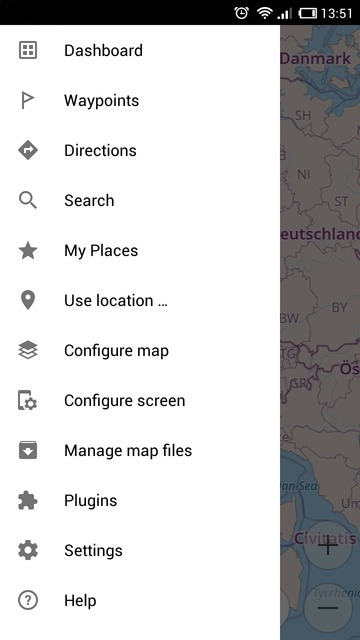
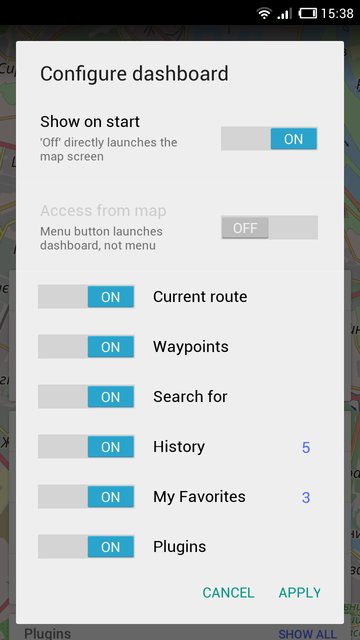
Choose if primary app control should be Dashboard or Menu based
You can choose what you would like to see when the application starts: the usual dashboard screen or the map screen with the drawer menu button on the left. To choose, just go to the dashboard, tap Configure dashboard button in the right upper corner and move Show on start switch to change this setting. If you a new OsmAnd user, you'll get the Drawer menu by default. Otherwise, you'l see the dashboard as your default starting screen.
 |  |
|---|
Reworked context-sensitive UI
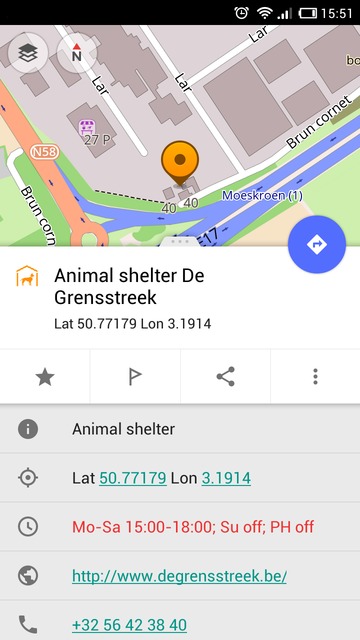
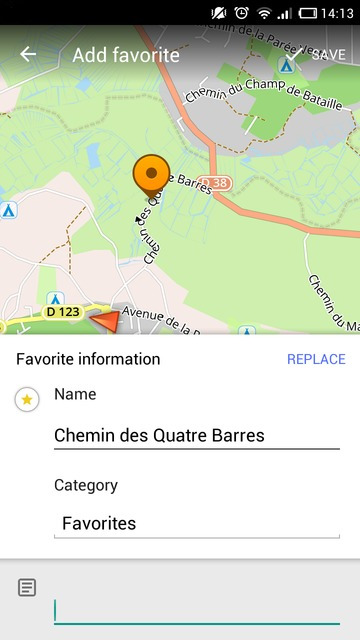
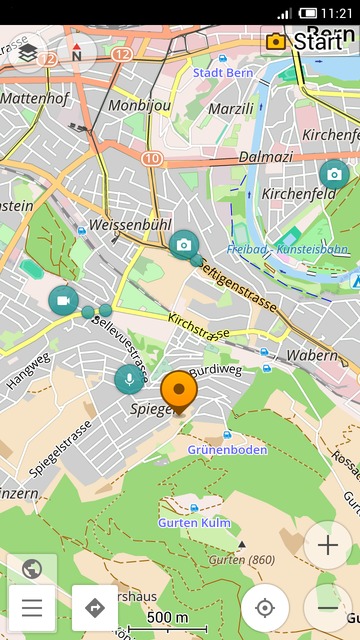
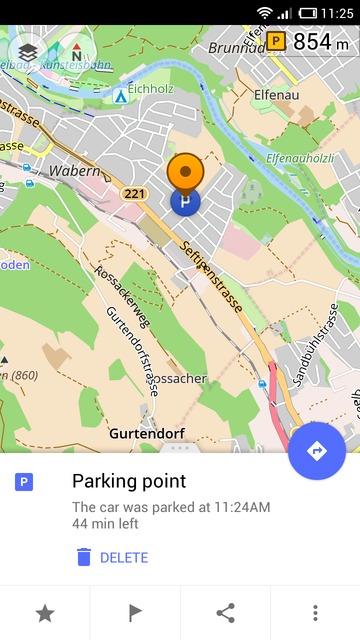
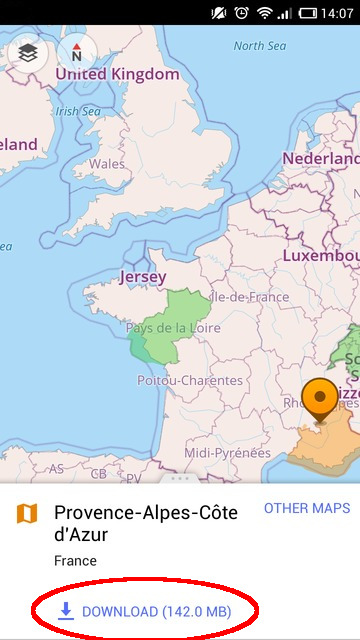
OsmAnd has acquired a whole new context menu design that changes according to the content and the type of location you're working with. Now POI, Favorites and other types of locations get corresponding context menus to help you operate the app much easier. Also, you can now just tap a region you need to download the map. This way, you'll get the map sections that you need much faster. More to come, you can enjoy amazing pull-up menus and a whole new Create POI interface.
 |  |
|---|
 |  |
|---|
New Wikipedia data, downloads by country and much more complete data
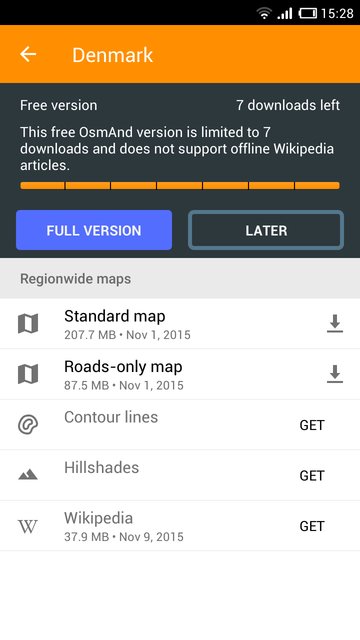
Now you can enter the name of the country and see all maps available for this particular location: the Standard map, Hillshade, Wikipedia data, Contour lines map and Roads-only map. This way, you'll see Wikipedia files as soon as you enter the country name. Besides that, the Wikipedia data has gotten fuller.
 |  |
|---|
POI Search now supports more specific queries
You can now search for POI more effectively thanks to numerous additional POI categories including the places of worship with the information about the religion they belong to and other parameters. POI now have a lot more information useful for a traveller.
New navigation interface
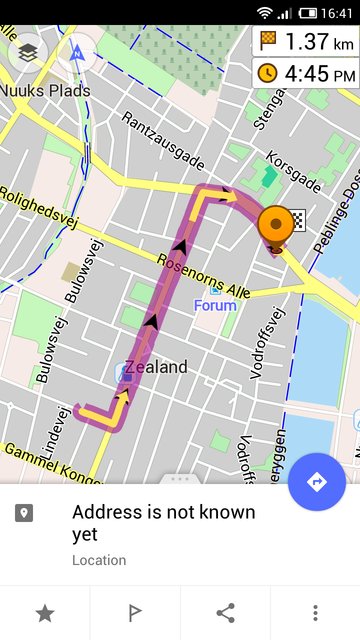
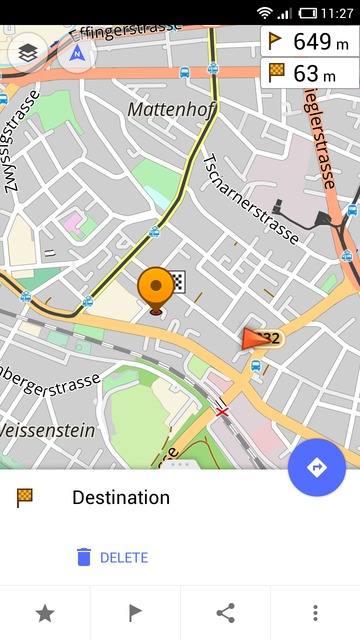
You can build a route with all your waypoints or select to go right to the destination point. To do it, just tap the destination, and then press the blue navigation button.
 |  |
|---|
Reworked POI editing menu
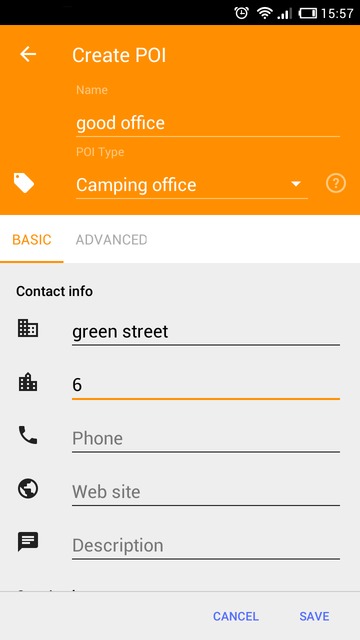
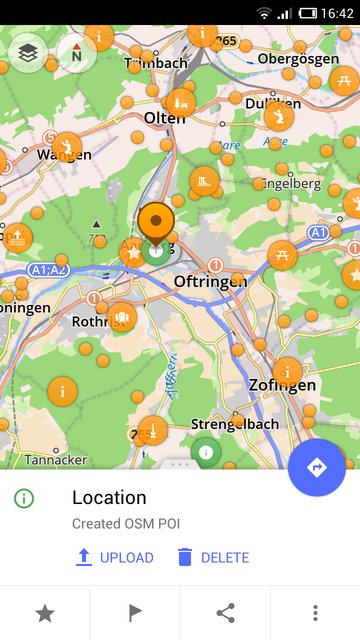
See new improvements in the POI editing section. You can now edit the points of interest you've created before committing them to the server. Also, the whole new Edit POI menu interface will help you add new points rapidly and manage them. Just don't forget to turn OSM Editing plugin on.
 |  |
|---|
And remember that only together we can achieve the best results! New features are coming SOON!
Follow OsmAnd on Facebook, TikTok, X (Twitter), Reddit, and Instagram!
Join us at our groups of Telegram (OsmAnd News channel), (EN), (IT), (FR), (DE), (UA), (ES), (BR-PT), (PL), (AR), (TR).

