Map Styles (Vector Maps)
Visão Geral
Os estilos de mapa definem como os dados de mapa vetorial são renderizados no OsmAnd. Um estilo controla a aparência visual de objetos do mapa, como estradas, edifícios, uso do solo, água e pontos de interesse, incluindo cores, padrões de linhas e rótulos.
O OsmAnd oferece vários estilos integrados otimizados para diferentes atividades. Você pode alternar estilos no menu Configurar mapa e ajustar parâmetros de estilo. Os estilos de mapa vetorial suportam alternância entre modos diurno e noturno.
Além dos estilos integrados, o OsmAnd suporta estilos de mapa personalizados. Estilos personalizados são baseados em regras de renderização e podem ser importados, compartilhados e modificados para destacar as informações de que você precisa.
Estilos de Mapa Padrão
O OsmAnd oferece a você muitos estilos de mapa e camadas de dados que se ajustam por padrão. Esta seção descreve os principais para modos diurno e noturno.
Android. Menu → Configurar mapa → Renderização do mapa → Estilo do mapa
iOS. Menu → Tipo de mapa → Configurar mapa → Estilos de mapas offline
OsmAnd
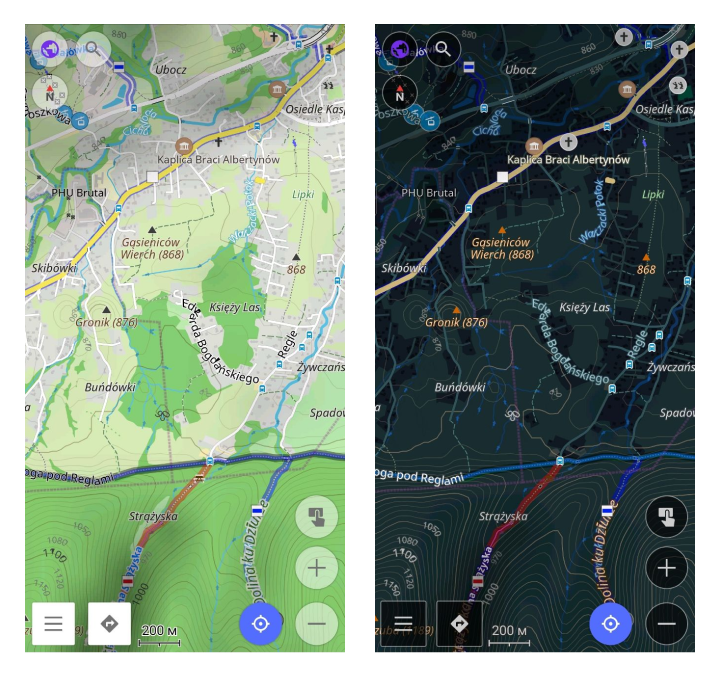
O estilo de renderização de mapa padrão do OsmAnd equilibra detalhe e simplicidade, tornando-o ideal para exploração urbana e ao ar livre. Ele detalha recursos da cidade, como ruas, edifícios e paradas de transporte, enquanto simplifica a desordem visual tornando os mapas mais claros.
Principais benefícios incluem mapeamento de rotas, qualidade da superfície, restrições de acesso, sinalização de estradas, renderizações de caminhos em escala SAC, instalações esportivas e detalhes topográficos como linhas de contorno.
Visualização de Turismo
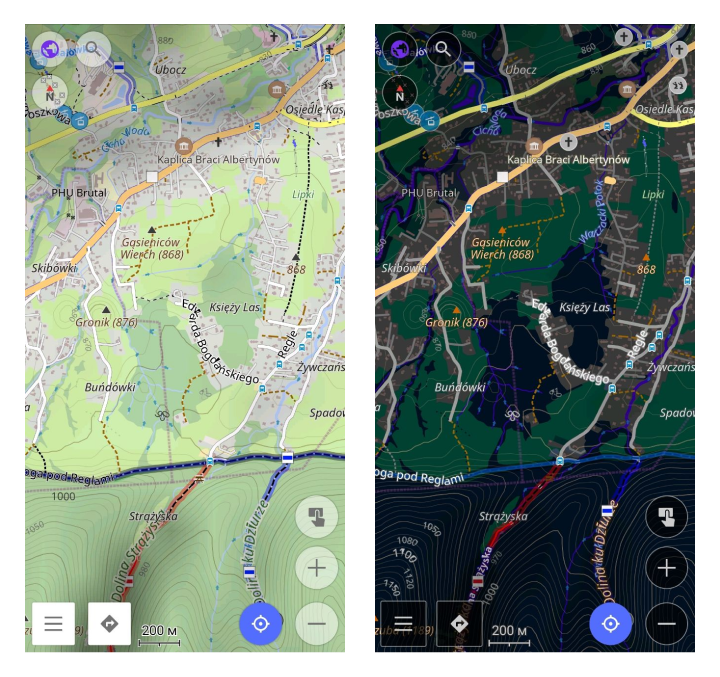
Estilo de turismo com alto contraste e máximo detalhe. Inclui todas as opções do estilo padrão do OsmAnd, exibindo o máximo de detalhes possível, em particular estradas, caminhos e outras vias de viagem. Distinção clara dos tipos de estrada em um atlas de turismo. Adequado para uso diurno, noturno e ao ar livre.
UniRS e LightRS
Alteração do estilo padrão para aumentar o contraste de caminhos pedestres e ciclovias. Usa cores clássicas do Mapnik.Os estilos UniRS e LightRS são estilos de autor que renderizam as informações básicas do mapa, mas em esquemas de cores diferentes.
-
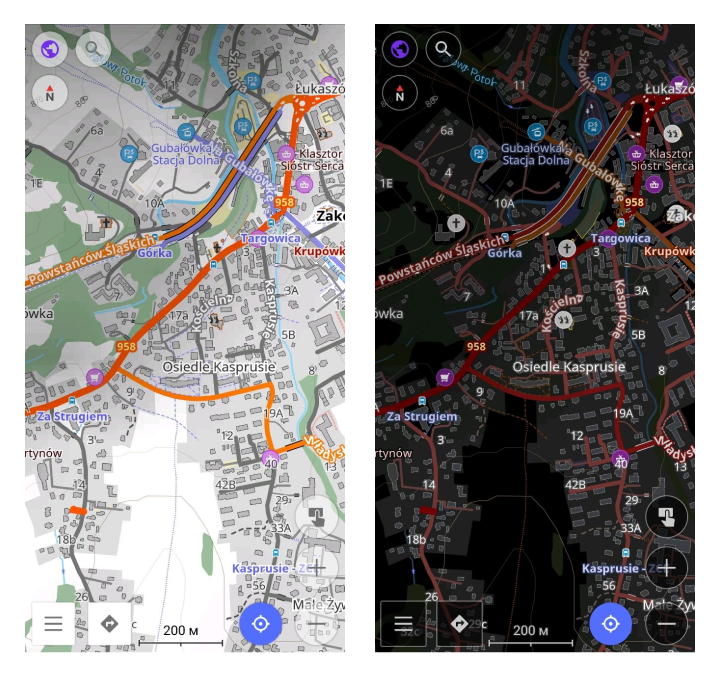
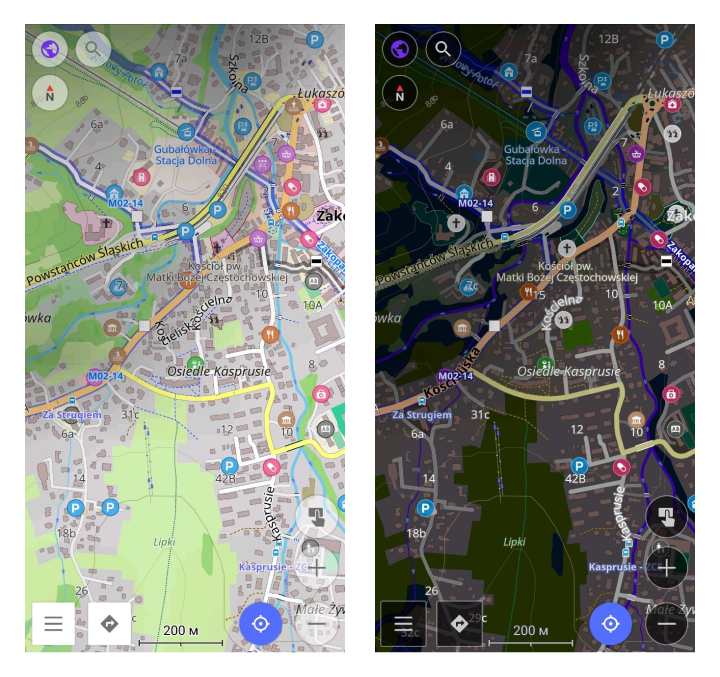
Estilo UniRS. Este estilo é uma versão modificada do padrão para aprimorar o contraste para caminhos de pedestres e bicicletas. Ele retém o esquema de cores clássico do Mapnik.
-
Estilo LightRS. Este é um estilo de direção simples que apresenta um modo noturno suave. Ele destaca estradas em uma cor laranja contrastante, atenua objetos secundários do mapa e exibe recursos topográficos como linhas de contorno.
Náutico
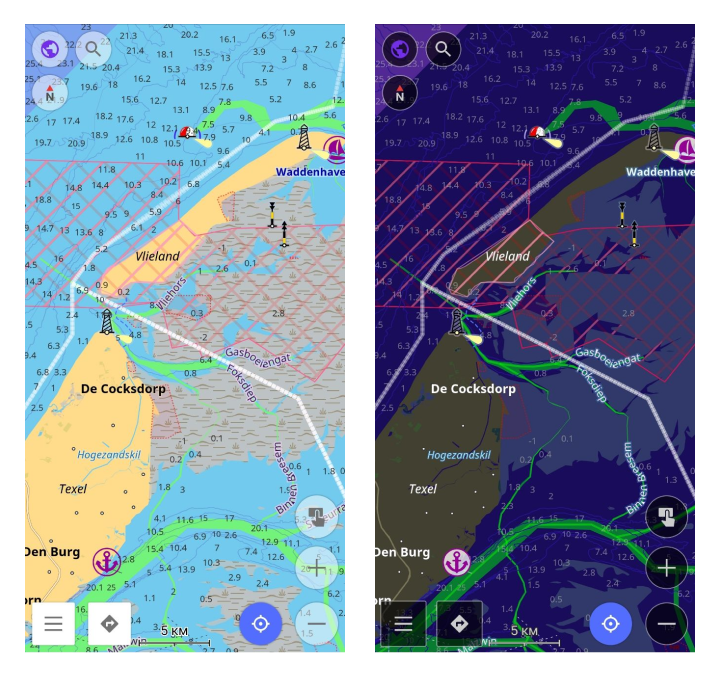
Este é um estilo de navegação náutica com boias, faróis, rotas fluviais, faixas marítimas, marcas, portos e marcas náuticas. Leia mais na seção Estilo de Mapa Náutico.
Marinho
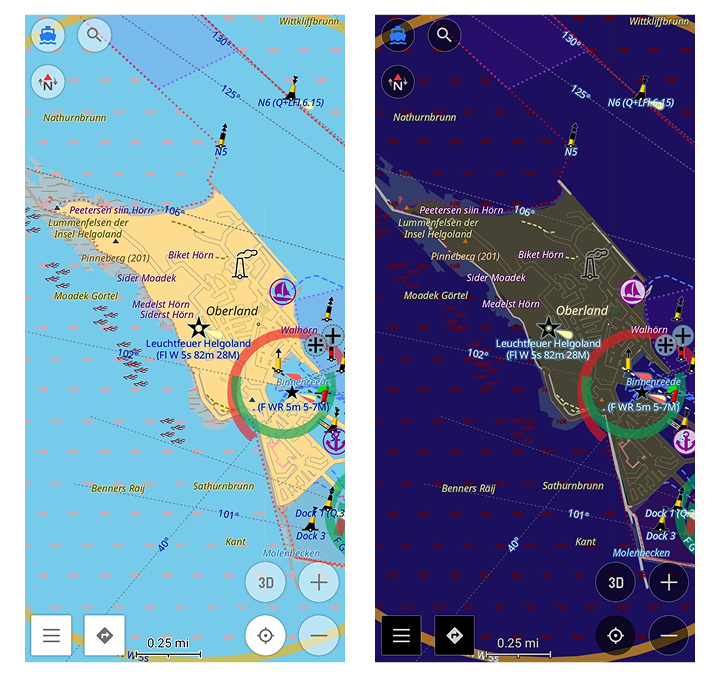
Este é um estilo de mapa náutico avançado com setores de luz, características completas de faróis e outros recursos marítimos detalhados para navegação marítima realista e precisa. Para mais detalhes, leia a seção Estilo de Mapa Marinho.
Inverno e Esqui
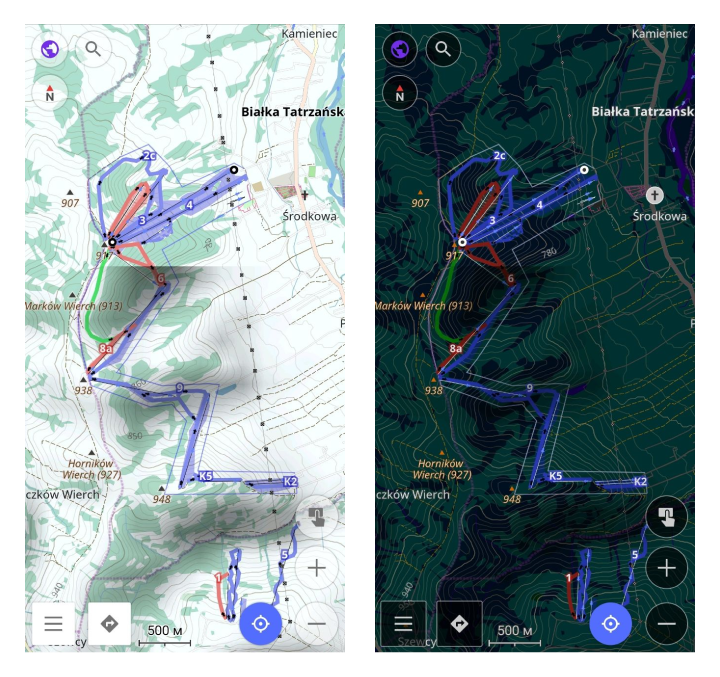
Este é um estilo para esportes de esqui que descreve as pistas, elevadores e trilhas de esqui cross-country, além de ofuscar objetos secundários do mapa. O estilo Inverno e Esqui é projetado para ajudar na navegação em esportes de inverno.
Você pode ver as encostas de esqui e outros detalhes, como a dificuldade das encostas e marcadores de elevadores. Principais benefícios incluem a exibição conveniente de encostas, elevadores e outros recursos de esqui. Menos objetos secundários distrativos do mapa. Leia mais no artigo Mapas de Esqui.
Topo
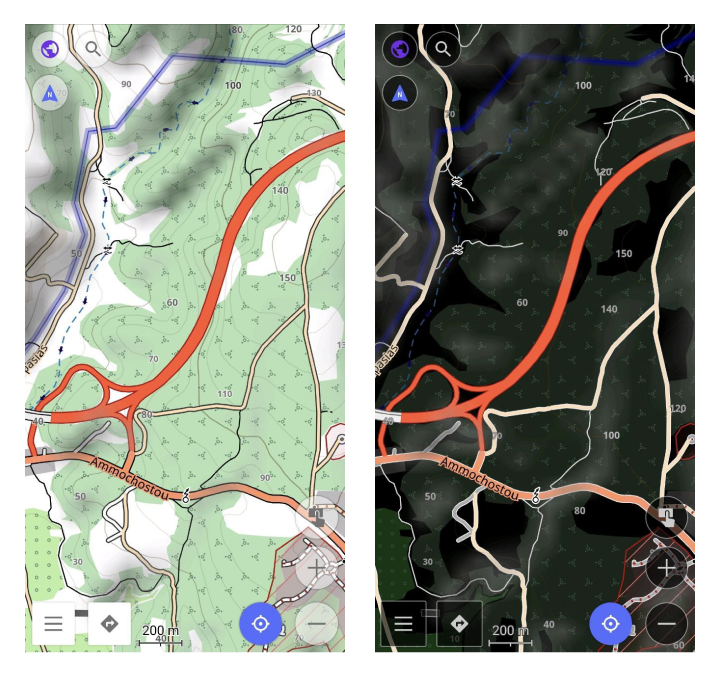
Este estilo é projetado para caminhadas, acampamentos e ciclismo na natureza. Ele apresenta estradas e recursos naturais contrastantes, tipos diferentes de trilhas, opções estendidas de linhas de contorno e detalhes adicionais. É legível ao ar livre. A configuração Integridade da Superfície permite distinguir a qualidade da estrada.
OSM-carto
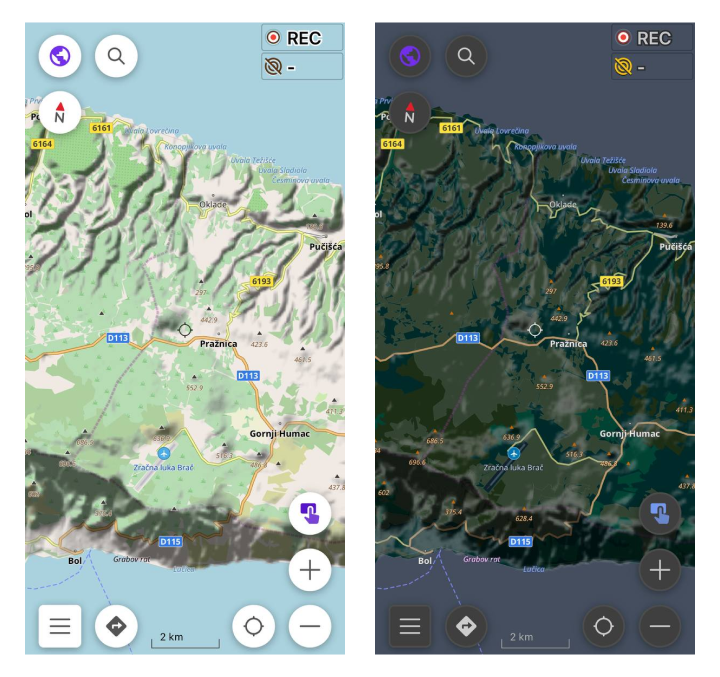
Este estilo imita o estilo web padrão do OpenStreetMap. O código-fonte da versão web está disponível no Github, o código do OsmAnd está disponível no Github.
Deserto
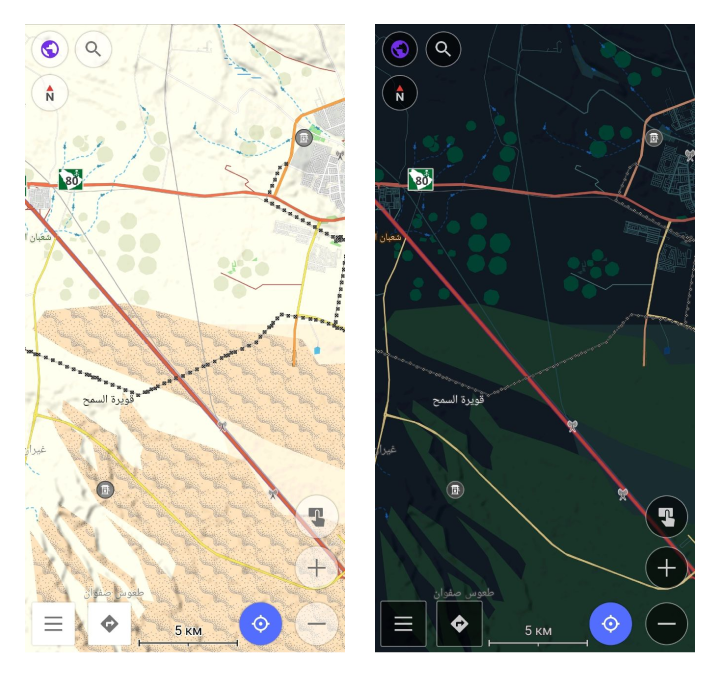
Projetado para desertos e outras regiões escassamente povoadas, oferecendo informações de mapa mais detalhadas.
Offroad
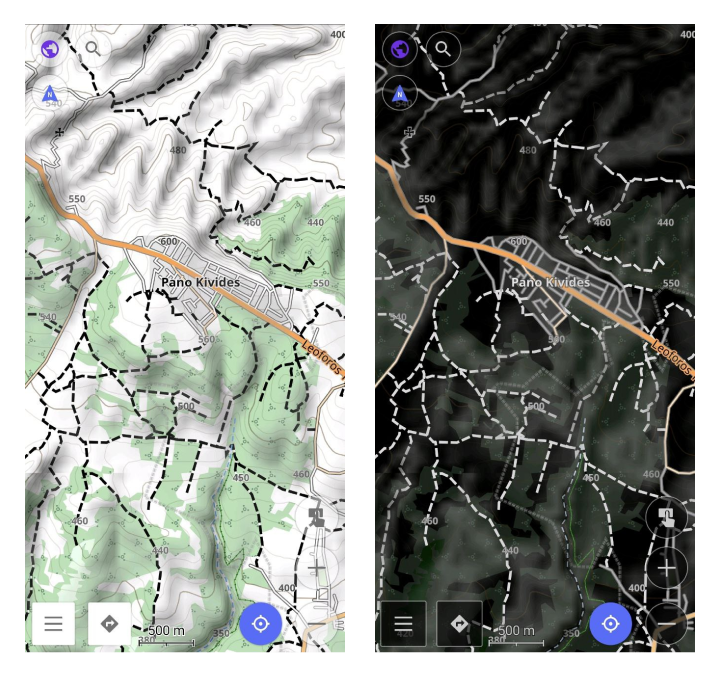
Projetado para navegação off-road, este estilo é baseado no layout de mapa Topo e funciona bem com imagens de satélite como base. Ele apresenta estradas principais mais finas para destacar caminhos, trilhas, rotas de bicicleta e outras trilhas off-road, tornando-o ideal para explorar rotas não pavimentadas em áreas rurais ou remotas.
Snowmobile
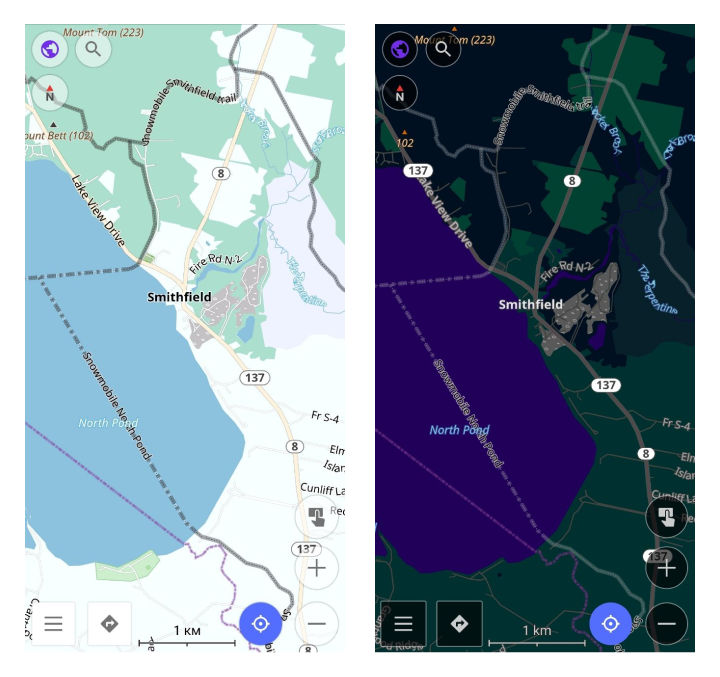
Adaptado para navegação de snowmobile, este estilo destaca caminhos, estradas e trilhas amigáveis para snowmobile. Ele destaca caminhos especializados em regiões nevadas, oferecendo navegação clara em terrenos cobertos de neve onde estradas padrão podem não estar disponíveis.
Estilo de Mapa Personalizado
Se você tiver um estilo de mapa personalizado pessoal ou de terceiros criado de acordo com a Especificação, você pode instalá-lo no seu dispositivo dessas maneiras:
- Copie o arquivo
.render.xmlpara o seu dispositivo e abra-o com o OsmAnd. - Use os diálogos padrão de importação/exportação para exportar ou importar estilos de renderização. Se você criar um pacote
.osf, ele funciona como um plugin que você pode compartilhar com outros. - Após a instalação, você pode selecionar o estilo de mapa no menu.
Você também pode navegar por exemplos de estilos de mapa personalizados criados por outros usuários. Uma lista de estilos comunitários disponíveis publicamente é fornecida aqui.