Public Transport routing
Overview
Public transport navigation in the OsmAnd app allows you to work out the routes using public transport, which will certainly help you get around the "concrete jungle" faster.
Data on public transport routes is taken from the OpenStreetMap project. OsmAnd uses the PTv2 scheme for navigation. OsmAnd supports following OpenStreetMap routes for navigation bus, trolleybus, share_taxi, funicular, subway, light_rail, monorail, train, tram, ferry. Default speed for each type of vehicle is configured in Routing xml and it used to find the fastest routes.
Public transport routing is in the testing phase. For now, you can build and view your route without the full navigation function.
- Android
- iOS
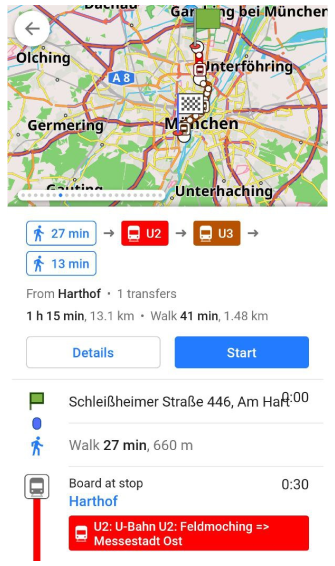
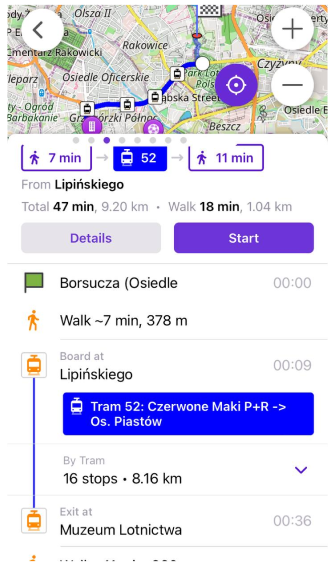
How to Use
To start navigating around the city by public transport, use the navigation button on the map screen or select the navigation option in the Main Menu.
1. You need to choose Public transport navigation profile, start and destination points.
- Android
- iOS
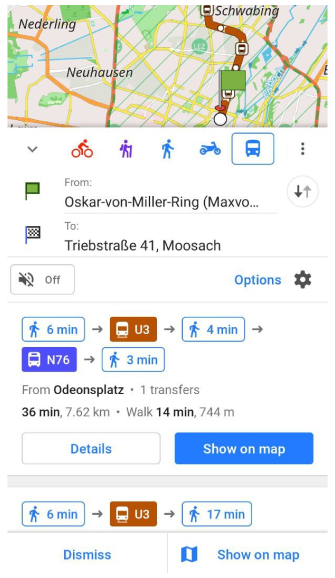
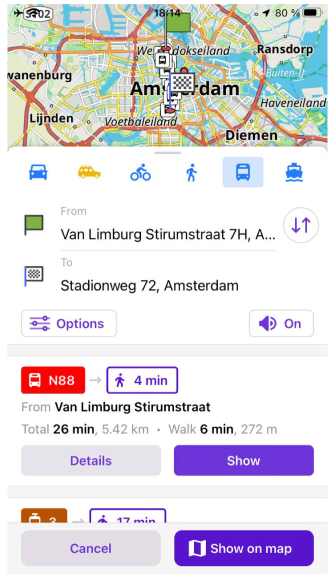
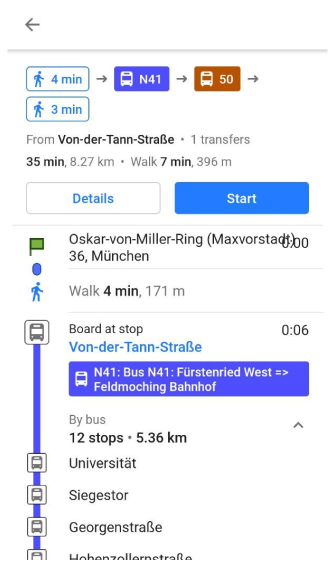
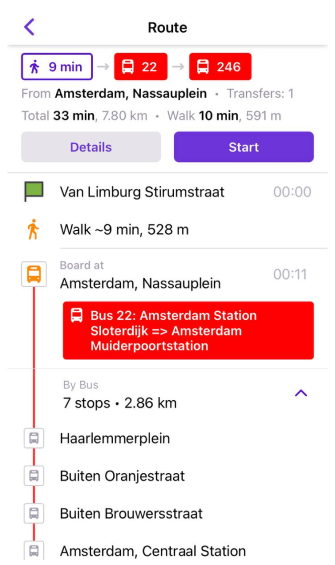
2. OsmAnd offers route options with walking times and public transport routes with route information: time, distance, transfer, and public routes. You need to scroll through the navigation screen to select the required option.
- Android
- iOS
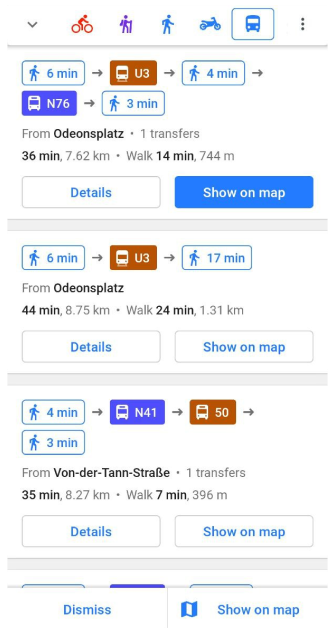
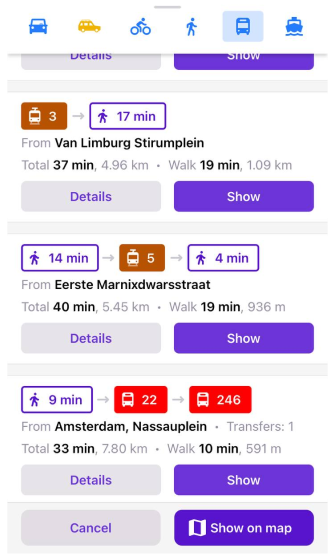
3. You can view all possible route suggestions on the map using the Show on map button. Swipe through the screens to view the next route option.
- Android
- iOS
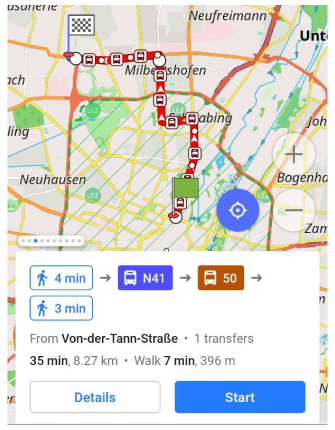
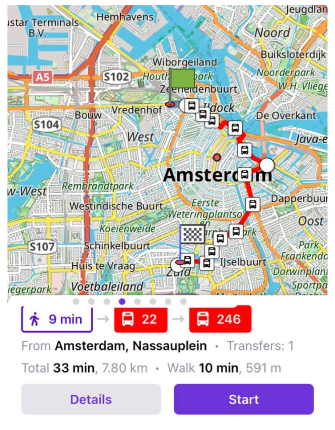
4. Tap the "Details" button to open a description of the selected route with all stops and transfers.
- Android
- iOS
Public Transport Types
You can search well-curated Public Transport Routes according to your preferences and choose to:
- Avoid buses (and trolleybuses)
- Avoid subways
- Avoid trains
- Avoid trams
- Avoid ferries
- Avoid share taxi
By default, OsmAnd searches for routes that include all supported types of public transport.
Alternative Routes
Alternative Routes are sections of a route that are served by different transport services and share the same path and stops.
Different transport services may use different route numbers (refs) or even different types of transport.
The user interface displays Alternative Routes as colored badges with their refs.
Performance and Results
- Android
- iOS
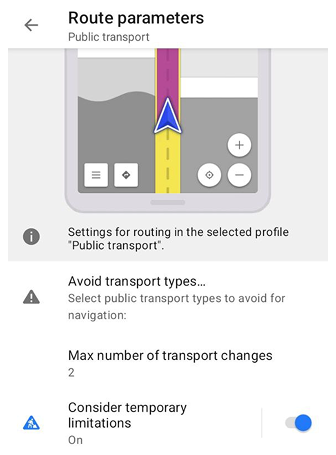
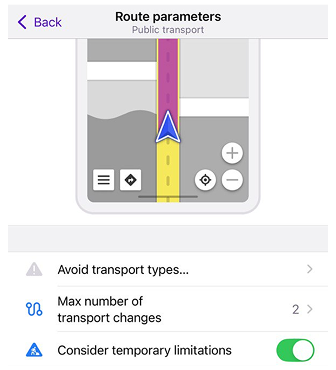
Go to: Settings → Public Transport profile → Navigation settings → Route parameters → Maximum number of transport changes
The performance and memory consumption of the Public Transport Router depend on the search depth. The most important parameter that affects this depth is the Maximum number of transport changes.
This parameter also directly affects the availability and quality of routes. If the value is set too low (for example, 0), OsmAnd may fail to find suitable routes or suggest suboptimal options, even when better routes with transfers exist.
We use 2 as the default value, which seems optimal for modern public transport networks. If you encounter low performance or out-of-memory errors, try decreasing this value. If you are in a small city or travel short routes, a value of 1 may work better.
Data and Guideline
OsmAnd uses a new public transport scheme, also called Public Transport Version 2 (PTv2) for the OsmAnd Public Transport navigation algorithm.
- You can check your public transportation here.
- A guide to building or adjusting public transport routes is available on our blog.
- The presentation 2019: Public Transport Navigation using OpenStreetMap by OsmAnd.